

Testing an Assignment
Although Pawtograder does not provide a feature to “impersonate” a student, it does provide a robust feature to allow staff to test an assignment. This feature provisions staff with a repository just like any other student would have, but it does not show up in the list of student submissions. You can even mark up the submission with rubric checks to perform a complete end-to-end test of the assignment.Creating a Test Repository
After creating an assignment, you can test it by clicking the “Test Assignment” button, and then clicking “Create Repositories.”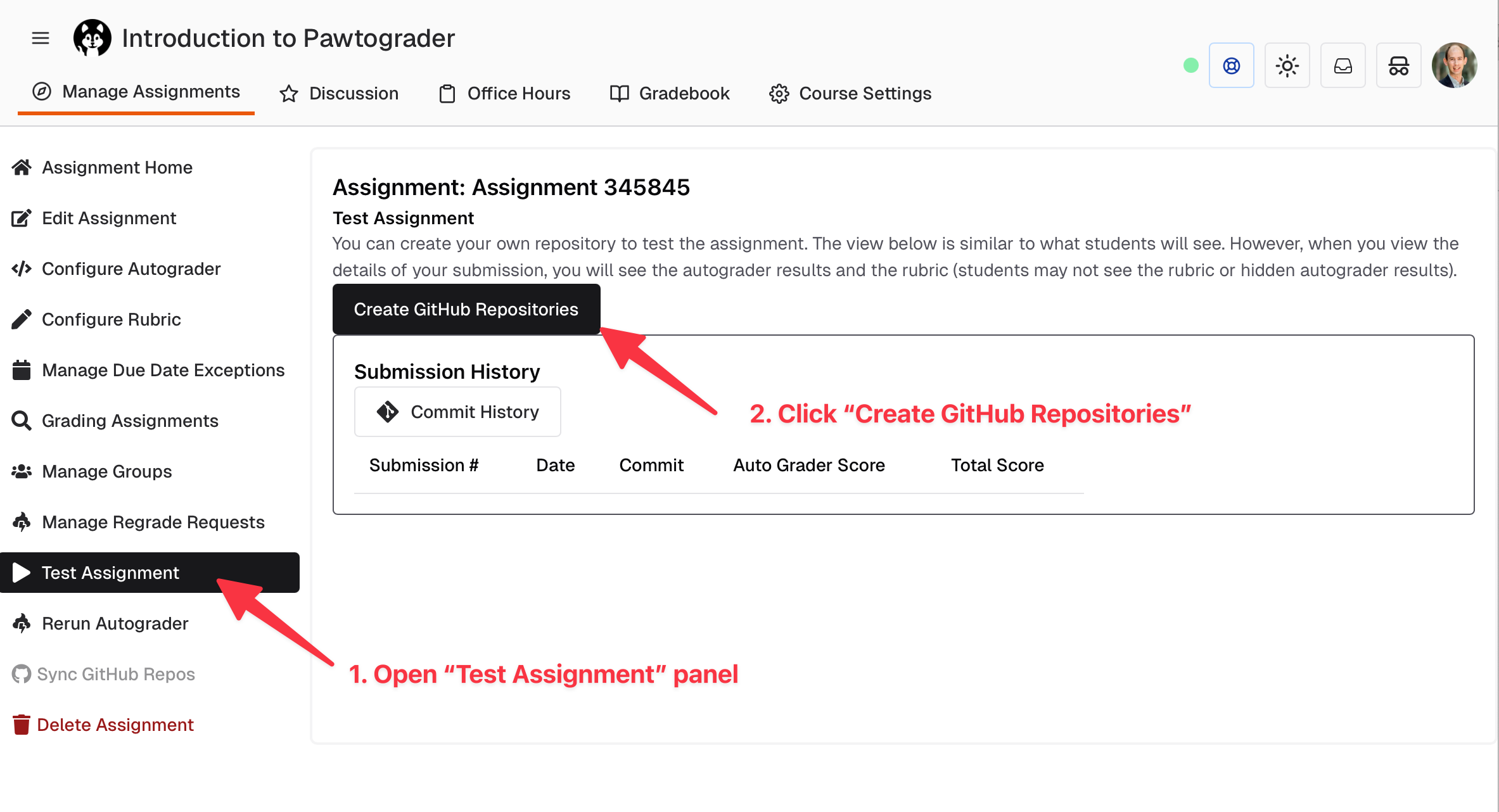
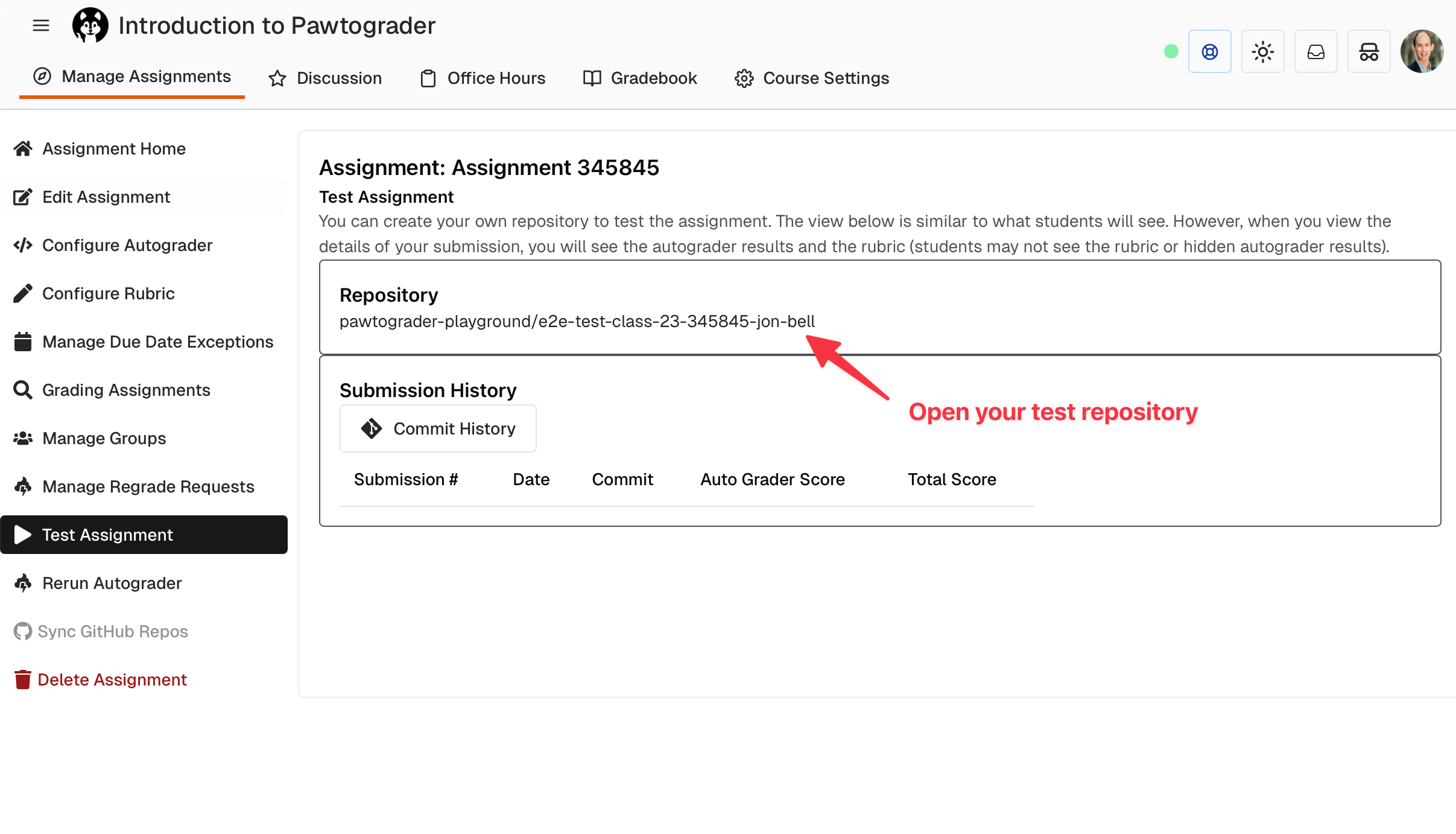
Viewing Test Submissions
After the submission completes, you’ll see a link to view it on that “Test Assignment” page. You may need to refresh the page to see the link, which will only appear once the submission is complete.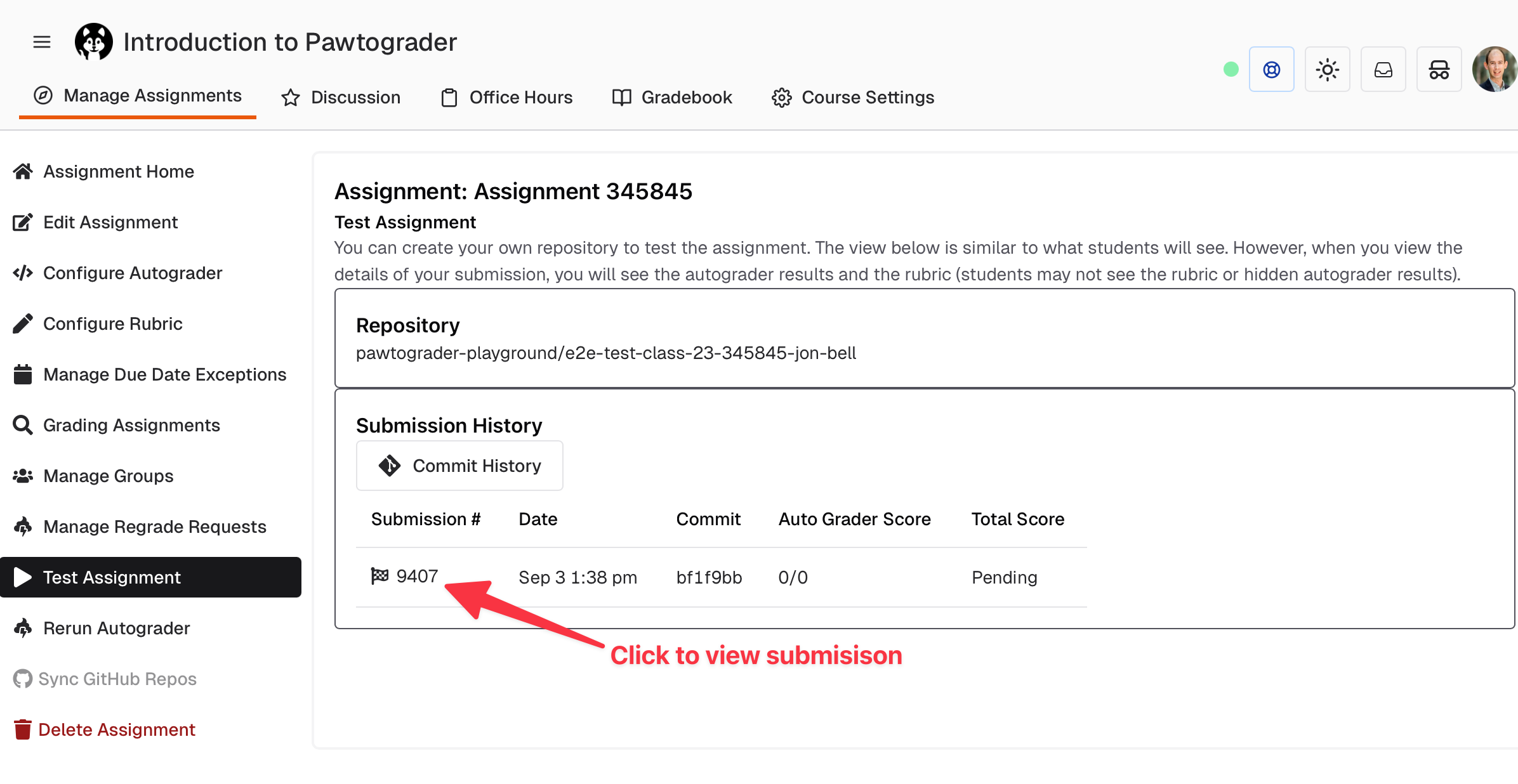
Grading Test Submissions
The test submission page will look just like it will when viewing a student’s submission. You can navigate between rubrics (if applicable) from the dropdown in the right sidebar. You can also navigate between submissions (from students or even from other staff members) from the dropdown in the top bar.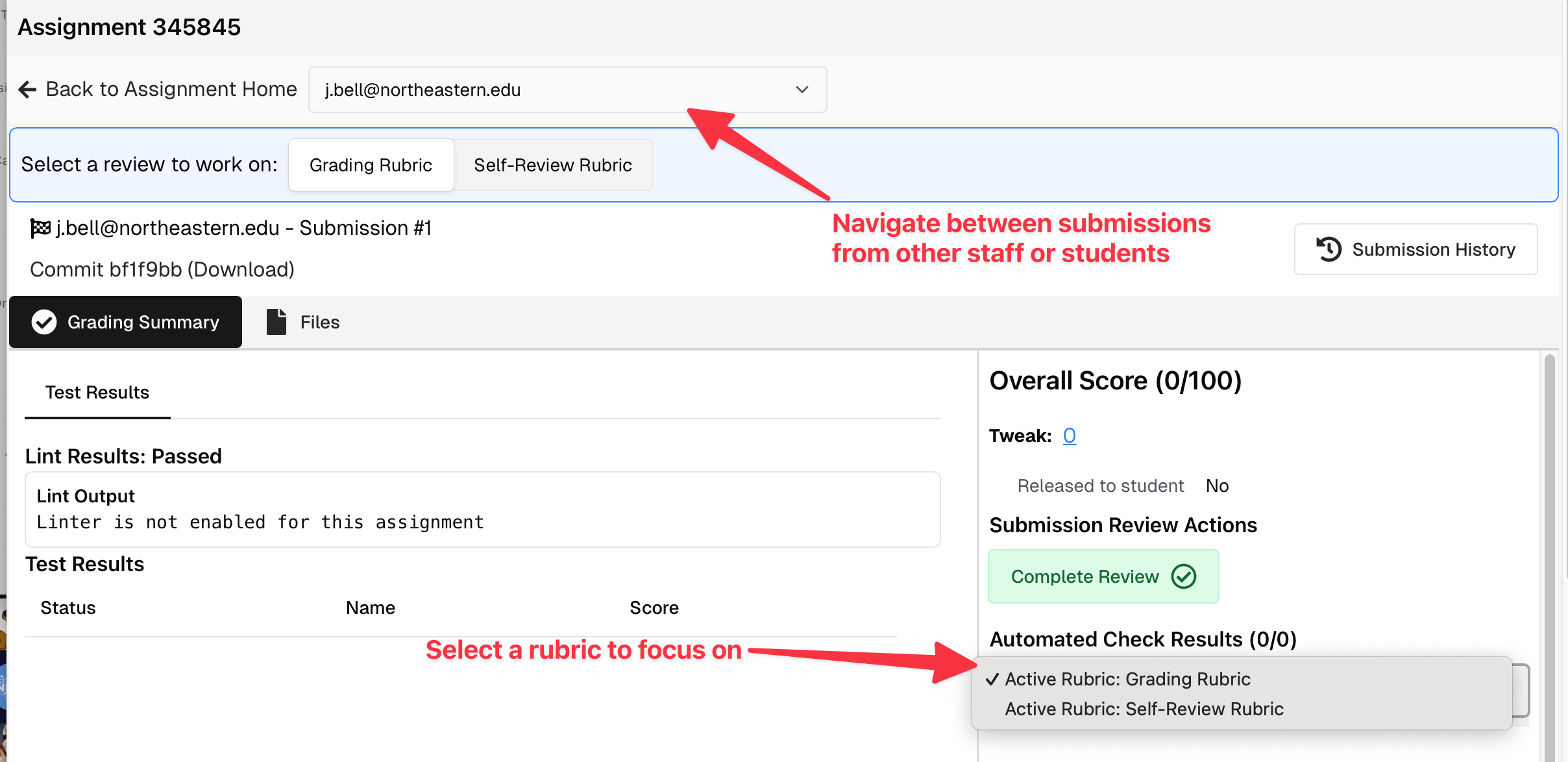
Rerunning the Autograder
When testing or debugging grading issues, you can rerun the autograder on any submission:- Reuse submission: The rerun uses the same submission record rather than creating a new one
- Select grader version: Choose which version of the grader to use for the rerun:
- Use the current grader configuration
- Select a specific commit from the grader repository history
- Enter a manual SHA for precise version control
- Testing grader changes without affecting student submissions
- Debugging grading issues with different grader versions
- Validating fixes before deploying to production